
Resource pack: 2015 interface [1.21+]
![Resource pack: 2015 interface [1.21+] Minecraft PE / Bedrock [xfgiven_vers]](/uploads/posts/2025-12/1764409467_vdx_-old-days-ui.jpg)
- Review
- Help/Install
-
The VDX: Old Days UI resource pack for Minecraft PE (Bedrock) recreates the nostalgic interface of the 2015 pocket edition. The developer completely rewrote the UI from scratch, reproducing the classic design of the menu, inventory, settings, and HUD screens with 75% accuracy. The pack works on version 1.21.120 and above, including support for PBR textures for compatibility with Vibrant Visuals, and offers two modes: Accurate and Adaptive.
Navigation:■ Features of the 2015 Interface resource pack
Features of the 2015 Interface resource pack
The resource pack was created by a Windows 10 user specifically for Pocket Edition players to bring back the atmosphere that existed before the platforms were merged into Bedrock Edition. The latest update, v1.2.4, added a full version of the old-style touch control settings, a fixed tooltip for bundles, new options for audio, accessibility, video, and game settings screens, as well as support for Dualsense controllers.
Important warning for mobile users: before importing the pack, set "File storage location" to "External" to avoid data loss when updating the game in Minecraft PE (Bedrock).
![]()
Redesigned screens
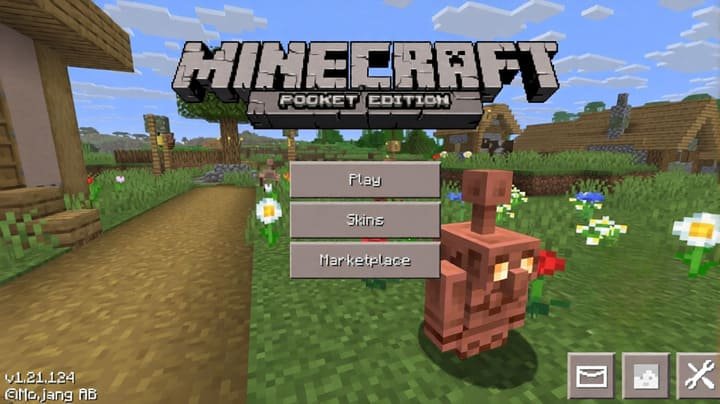
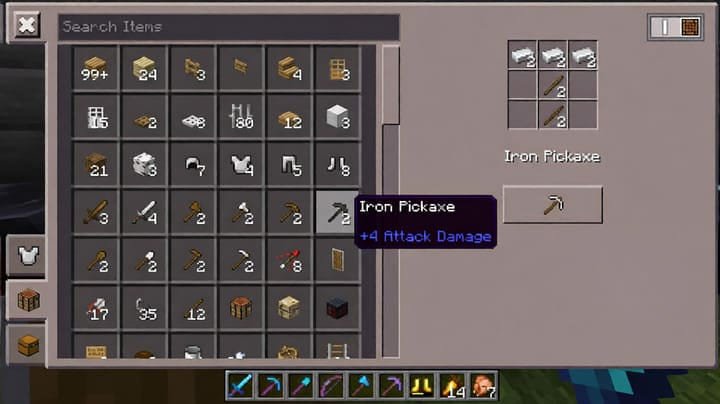
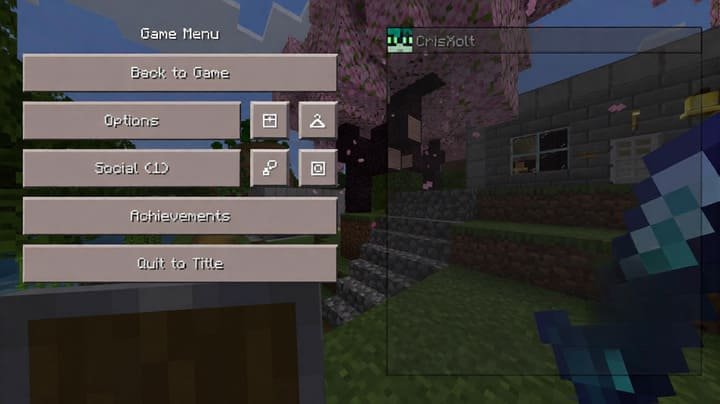
The pack covers almost all game screens, returning them to the design of the mid-alpha versions. The start screen, game screen, world template selection, world creation and editing, settings, HUD, inventory screens, chat, pause, skin selection, desktop versions of the inventory, dialog boxes, shutdown and progress screens — all have been given a retro look.
The inventory screen now includes Auto Place Mode and Drop Place Mode buttons for touch mode, an "X" button to clear the search, and an alternative version of the Pocket inventory for servers without compatibility issues. The pause screen has been updated with new small buttons, and the start screen has replaced the "Achievements" button with "Profile" and added an "Inbox" button to the Pocket UI in Minecraft PE (Bedrock).
![]()
Known limitations
Not all modified screens are fully compatible with gamepads and controllers, which can cause navigation issues. Some screens, such as settings and world selection screens, may take a long time to load due to the large number of UI objects in the data. When using third-party add-ons with custom items, the creative search tab icon will change — there is no solution to this problem yet.
Unfortunately, with the advent of the new "Ore UI" engine for world creation, achievement, and death screens, modifying them via resource packs has become impossible, although the developer plans to offer an external solution in the future. The developer also plans to add the Classic Edition UI pack (from 2011), a wardrobe screen, options for Realms, and compatibility with Java Aspects in Minecraft PE (Bedrock).
![]()
-
Download Resource pack: 2015 interface [1.21+]
[1.75 Mb (downloaded: 181)]
Comments (0)
Comment