
Mod: Removal tool [26+]
![Mod: Removal tool [26+] Minecraft PE / Bedrock [xfgiven_vers]](/uploads/posts/2026-02/1770833079_fill-wand.jpg)
- Review
- Help/Install
-
The Fill Wand modification for Minecraft PE (Bedrock) adds a magic wand to your world that can quickly fill areas with blocks. This tool makes working with the /fill command accessible and easy: you can select two points with a click, configure the exact states of blocks (such as wool color or water level) through a convenient menu, and use block replacement or removal modes without manually entering coordinates.
Navigation:■ Features of the Removal Tool mod
Features of the Removal Tool mod
The main advantage of this add-on for Minecraft PE (Bedrock) is convenience and speed. You no longer need to remember complex command syntaxes. The add-on supports all filling modes: replace, destroy (destruction with drop), hollow (hollow box), outline (walls only), and keep (fill only air). In addition, the new version allows you to select areas even in the air.
![]()
How to use and modes
To start working in Minecraft PE (Bedrock), take the Fill Wand from the Creative inventory or enter the command
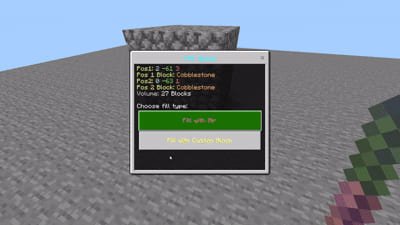
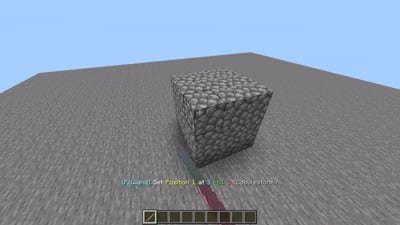
/give @s fill_wand:wand. Selecting an area is intuitive: hit the block (LMB) to set the first point and press the use button (RMB) to set the second. After selecting two points, a GUI menu will open where you can select the block and fill type.![]()
Settings and history
The add-on remembers your recent actions, allowing you to quickly repeat filling with the same blocks. You can also customize the tool's behavior using the
/settingscommand (or/fillwand:settings). For example, you can enable "Single Button Mode" if you have difficulty controlling the tool on a touch screen. -
Download Mod: Removal tool [26+]
[18.62 Kb (downloaded: 159)]
Comments (0)
Comment