
Map: Sapper [26+]
![Map: Sapper [26+] Minecraft PE / Bedrock [xfgiven_vers]](/uploads/posts/2026-08/1723977139_sapper-map.jpg)
- Review
- Help/Install
-
Your objective on this Minesweeper map in Minecraft PE (Bedrock) is to uncover all the tiles on the 10×15 grid, while trying not to uncover a tile containing a mine. You’ll have 2 items to manage the mines and flags to mark them.
Navigation:■ Map Overview and Demonstration
Features of the Sapper Map
Play Minesweeper in the cubic world of Minecraft PE (Bedrock) using rules that are virtually identical to those of the original mini-game. If you enjoyed the map, you can play through it again and again and personally thank the developer— @Yni4tozitel.
You'll have hints, checkmarks, and color-coded blocks to give you a clue about the bomb's random location on the map, so you don't step on it. The first move always starts by revealing a 3x3 grid of squares.
Map Overview and Demonstration
To manage the mine excavation, use two items: the first egg lets you dig up one block on the field, and the second egg places or removes flags on this Minecraft PE (Bedrock) map.
Mark the possible locations of the mines; look at the colors of the blocks and the numbers associated with them for clues.
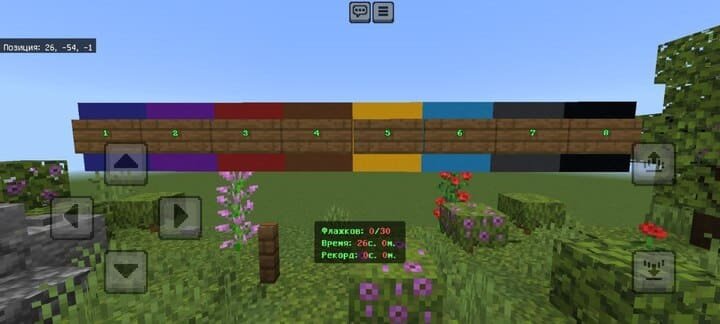
Colored blocks with numbers
As you progress through the map and unlock cells, colored blocks associated with numbers will appear to indicate that there is a bomb within a certain radius:
![]()
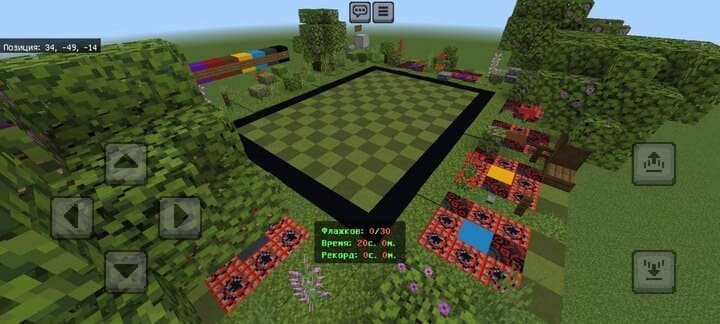
Game Board
On this board, you must uncover all the random squares that don't contain mines to win (if you fail, you can always start over):
![]()
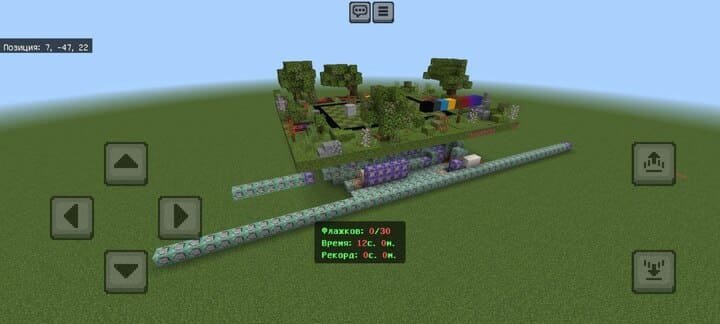
Appearance of the Map
All mined-out cells on the map are generated completely at random using command blocks to make the level more challenging. Here's what the entire location looks like from the outside:
![]()
-
Download Map: Sapper [26+]
[872.49 Kb (downloaded: 131)]
Comments (0)
Comment