
Add-on: Item Notification [1.21+]
![Add-on: Item Notification [1.21+] Minecraft PE / Bedrock [xfgiven_vers]](/uploads/posts/2025-12/1763317357_pick-up-display.jpg)
- Review
- Help/Install
-
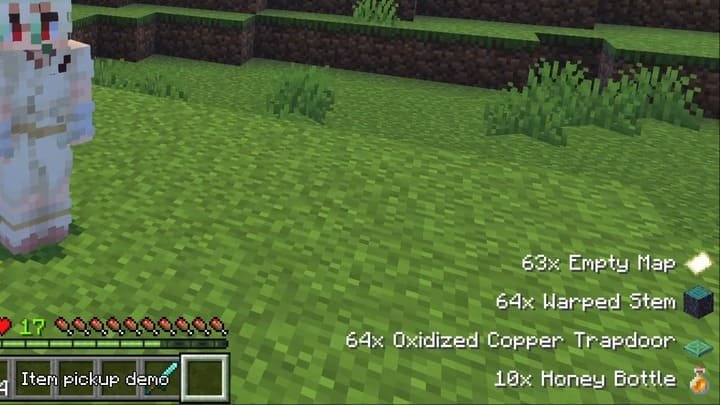
The Pick Up Display add-on for Minecraft PE (Bedrock) adds an informative notification showing all the items you have picked up. The indicator is located in the lower right corner of the screen and displays the item icon along with its name and quantity, allowing you to track your loot without having to open your inventory.
Navigation:■ Features of the Add-on Item Notification
Features of the Add-on Item Notification
The add-on is based on the Pick Up Notifier concept. Every time you pick up an item from the ground, a notification with an icon of that item appears in the lower right corner of the screen. This is especially useful when gathering resources, when your inventory fills up quickly and you want to know exactly what you have picked up. The add-on supports game versions starting from 1.21.111 and above, including the latest updates 1.21.120 and 1.21.121 in Minecraft PE (Bedrock).
![]()
Settings system
To access the add-on settings, use the command
/configor/pud:configin the chat. This will open the configuration panel, where you can change various display settings.A well-known problem with custom items
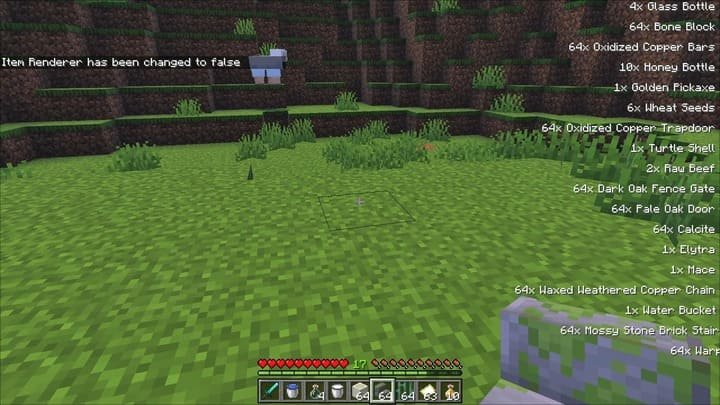
Due to the choice of manual code listing during development, the add-on does not yet support custom items from other modifications. If you use mods that add new items, their icons may not display correctly. In this case, it is recommended to enter the command
/config item_renderer falseto hide the incorrect item images, leaving only a text notification about the name and quantity in Minecraft PE (Bedrock).![]()
-
Download Add-on: Item Notification [1.21+]
[1.72 Mb (downloaded: 185)]
Comments (0)
Comment